

WooCommerce invoice plugin: every order becomes an invoice
Connect your WooCommerce shop to Rechno: every order automatically becomes an Austrian invoice with a consecutive number, and your customers get the PDF by email if you wish — without you typing a single invoice.
Free plan without a credit card · 15-day money-back guarantee from your first purchase
In short
What does the “Rechno für WooCommerce” plugin do?
WooCommerce is the open-source ecommerce platform for WordPress (opens in a new tab). The “Rechno für WooCommerce” plugin connects your online shop to Rechno: as soon as an order reaches the status you choose, Rechno creates a published invoice with its own consecutive invoice number and sends the PDF to your customer.
The invoice number is sent back to the shop: in the WooCommerce order list you see a Rechno badge with the number and open the invoice with one click.
The WooCommerce integration is available from the “Ausgang” plan — learn more under plans and pricing.
How it works
How to connect WooCommerce to Rechno
No programming skills needed — in three steps.
- 1
Download the plugin & connect the shop
In Rechno, under Settings › WooCommerce, download the “Rechno für WooCommerce” plugin and create a connection. The API key is shown once and stored encrypted.
- 2
Install it in WordPress
Install the ZIP file under Plugins › Add New Plugin › Upload Plugin and paste the key under WooCommerce › Settings › Rechno.
- 3
Map payment methods
For each payment method, define whether the invoice is created as paid or open — e.g. credit card paid, prepayment open with a payment term.
Free plan without a credit card · 15-day money-back guarantee from your first purchase
Automatic
What happens with every order
- Invoice at the right time: as soon as the order is “Processing” and/or “Completed” — you choose. WooCommerce shows where an order stands with its order status (opens in a new tab). Every order is invoiced only once.
- Line items from the shop: products, shipping costs and fees; coupons are applied as a discount, tax rates come from the WooCommerce tax table.
- Accurate to the cent: net, gross and the tax per tax rate must match the order exactly. If even one cent differs, no invoice is created and the order is listed with the reason in Rechno’s WooCommerce settings.
- Paid or open: depending on the payment method, the payment is recorded right away, or the invoice stays open with a payment term.
- Contact created: the buyer is created as a contact or recognized by their email address.
- PDF to the customer: if you wish, the invoice goes to your customers by email automatically — with your own template.
- Stays as ordered: the content of a shop invoice cannot be changed afterwards — its status and payments can.
- No slow checkout: the transfer runs in the background, with automatic retries and a nightly reconciliation.
Your shop sells, Rechno writes the invoices
Install the plugin, enter the key, map the payment methods — choose your plan.
Invoice number & PDF
Consecutive invoice numbers instead of order numbers
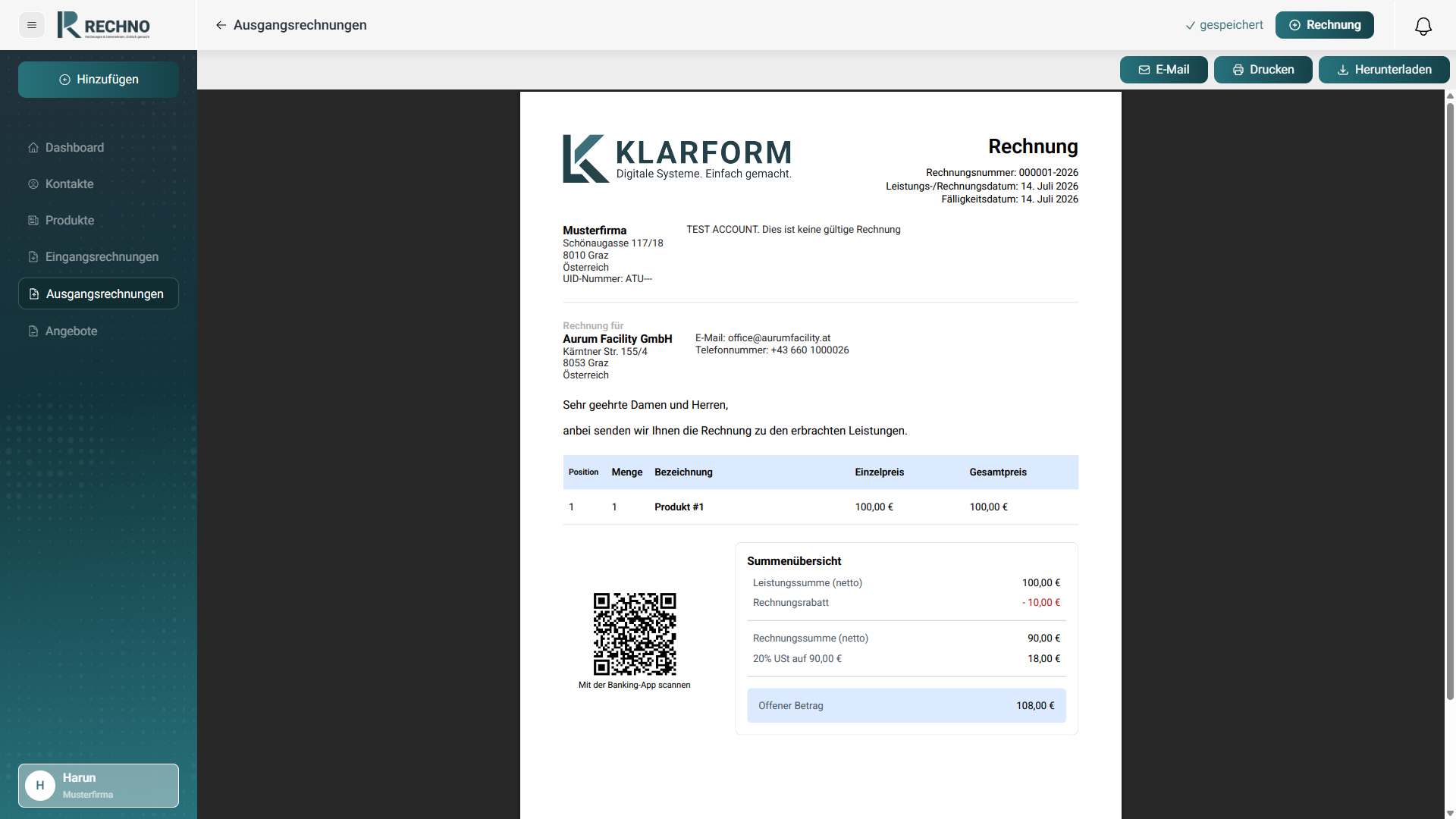
WooCommerce assigns order numbers to every order — including canceled or unpaid ones. That is why Rechno gives every invoice its own consecutive number; the order number is kept as a reference.
- Separate number sequence per shop (optional) — with its own format and starting number, separate from your other invoices
- Cancellation invoices continue the number sequence of the invoice they cancel
- Connect several shops — each with its own connection and its own key
- The invoice PDF uses your own template
Cancellation & refund
Refund in the shop, cancellation in Rechno
- Refund in the shop: when an order is refunded (opens in a new tab) in WooCommerce, Rechno notes this on the order in the shop and in Rechno. Rechno does not cancel the invoice by itself — you create the cancellation invoice in Rechno once the money has actually been paid back.
- Cancellation in Rechno: the order in the shop switches to “Refunded”. The plugin does not pay any money back — you handle the refund with your payment provider.
- Partial refund: noted, but not automatically created as a credit note — a credit note is an accounting decision.
Legal
Which invoices does an online shop in Austria need?
If you sell to businesses, you must issue an invoice within six months (§ 11 UStG (opens in a new tab), Austrian VAT Act). For private customers, this obligation generally does not apply — but in online retail an invoice is standard, and you need the receipt for your bookkeeping anyway.
Every invoice needs a consecutive number (opens in a new tab) that identifies it uniquely. Up to 400 € gross, a simplified small-amount invoice (opens in a new tab) (Kleinbetragsrechnung) is generally enough — but according to the Business Service Portal it cannot be used for distance sales. Rechno creates an invoice with a consecutive number and the tax per tax rate from every order, regardless of the amount.
Cash register: according to the Austrian Business Service Portal (USP) (opens in a new tab), sales through an online shop are exempt from the cash register obligation (Registrierkassenpflicht) if customers do not pay you directly in cash — you still have to issue or verifiably send receipts. If an order is paid on site in cash or by card, for example at pickup, that payment belongs in your cash register; Rechno is not a cash register.
Mandatory details and invoice numbers in detail: guide WooCommerce invoices in Austria.
Selling to other EU countries
Private customers in other EU countries: keep the OSS in mind
If you deliver to private customers in other EU countries, an EU-wide threshold of 10.000 € applies to intra-community distance sales (opens in a new tab). Once it is exceeded, the VAT of the country of destination generally has to be paid — collectively via the One-Stop-Shop (OSS) (opens in a new tab), instead of registering in every country.
Important: Rechno takes over the tax rates your shop calculates, but it does not create an OSS return and does not check which tax rate applies in each country. If you sell to other EU countries, clarify this with your tax advisor.
Transparent pricing with no hidden costs
From 10 € per month — cancel at any time, 15-day money-back guarantee from your first purchase.
Requirements
Who the WooCommerce integration is for
For businesses with their registered office or a branch in Austria that run their online shop with WooCommerce on WordPress and don’t want to invoice every order by hand. You need:
- WordPress 6.4 or later, WooCommerce 8.0 or later and PHP 8.0 or later
- Euro as the shop currency — orders in other currencies are not invoiced
- A Rechno plan with the WooCommerce integration (from the “Ausgang” plan)
What the integration does not do (yet):
- The small business VAT exemption note and reverse charge are not added automatically for shop orders, and the VAT ID of business customers is not transferred. If you use the small business VAT exemption, check the invoices before you start — details in the guide Small business invoice in Austria.
- Products are not added to your Rechno product catalog (the item number is).
- The plugin does not move money: you handle refunds with your payment provider.
Official information for further reading
For reference: WooCommerce itself, the Austrian VAT Act, the Business Service Portal and the Chamber of Commerce on invoices, cash registers and EU distance sales — so you can check everything yourself.
- WordPress.org: WooCommerce (Plugin) (opens in a new tab) (accessed on 04.11.2026)
- WooCommerce: Orders Documentation (opens in a new tab) (accessed on 04.11.2026)
- RIS – Rechtsinformationssystem des Bundes: Umsatzsteuergesetz 1994, § 11 (Ausstellung von Rechnungen) (opens in a new tab) (accessed on 15.10.2026)
- Wirtschaftskammer Österreich (WKO): Erfordernisse einer Rechnung (opens in a new tab) (accessed on 15.10.2026)
- Unternehmensserviceportal (USP): Kleinbetragsrechnungen (opens in a new tab) (accessed on 15.10.2026)
- Unternehmensserviceportal (USP): Registrierkassenpflicht (opens in a new tab) (accessed on 04.11.2026)
- Wirtschaftskammer Österreich (WKO): Innergemeinschaftlicher Versandhandel (opens in a new tab) (accessed on 04.11.2026)
- Unternehmensserviceportal (USP): Umsatzsteuer One-Stop-Shop (opens in a new tab) (accessed on 04.11.2026)
Most of these sources are in German.
Questions about the WooCommerce integration?
Write to us — we will get back to you as soon as possible.